- What Are Live Widgets?
Modern smartphones are designed to provide quick access to important information without requiring users to open apps repeatedly. One of the most useful features that makes this possible is Live Widgets.
Live Widgets are interactive elements placed directly on your Android home screen. They display real-time information from apps and allow users to perform certain actions instantly without opening the app itself.
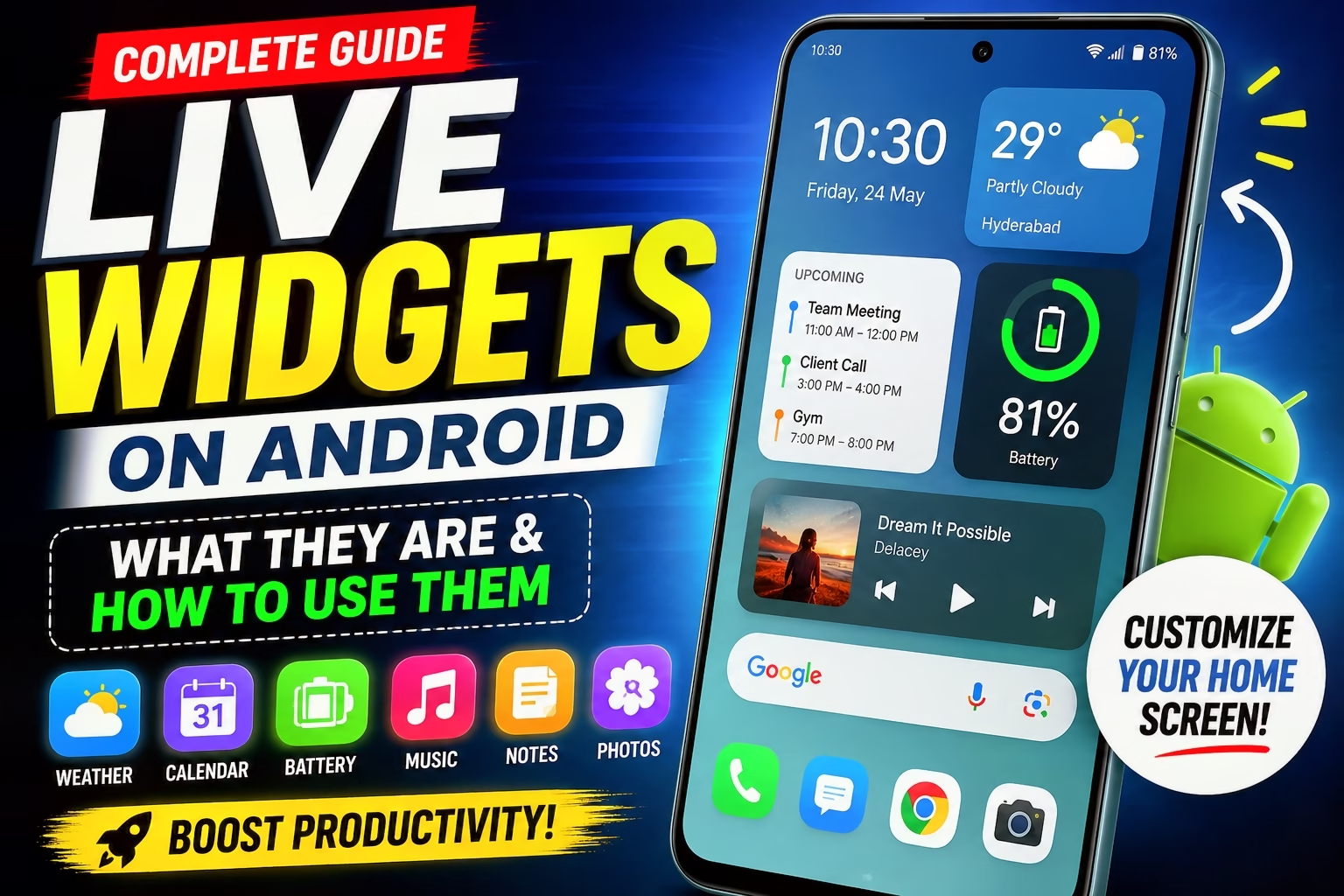
For example, instead of launching the Weather app every morning, a Weather Widget shows the current temperature, weather conditions, and forecast directly on your home screen. Similarly, Calendar, Music, Clock, Battery, Photos, and Notes widgets provide instant access to essential information with just a glance.
As Android continues to evolve, Live Widgets have become smarter, more responsive, and visually appealing, making them an essential part of the smartphone experience.
How Do Live Widgets Work?
Live Widgets communicate directly with their respective applications and automatically refresh the displayed information. Whenever new data becomes available, the widget updates itself in real time.
For instance:
A Weather Widget updates when weather conditions change.
A Calendar Widget displays your upcoming events automatically.
A Music Widget changes the song title whenever a new track starts playing.
A Battery Widget shows the latest battery percentage of your connected devices.
This real-time functionality eliminates the need to constantly open apps for basic information.
Benefits of Using Live Widgets
Live Widgets offer several advantages that improve both convenience and productivity.
1. Instant Access to Information
Instead of navigating through multiple apps, important details are always visible on your home screen.
2. Saves Time
Live Widgets reduce the number of taps needed to complete daily tasks, helping users save valuable time.
3. Improved Productivity
Whether you’re checking your schedule, reading reminders, or controlling music playback, widgets allow you to perform tasks much faster.
4. Better Home Screen Experience
Widgets make your home screen more informative and visually appealing by displaying useful content instead of just app icons.
5. Quick Controls
Many widgets include interactive buttons that let you play music, mark tasks as complete, or launch specific features instantly.
How to Add Live Widgets on Android
Adding Live Widgets to your Android device is simple.
Step 1
Long-press an empty area on your home screen.
Step 2
Tap the Widgets option.
Step 3
Browse through the available widgets installed on your device.
Step 4
Select your preferred widget.
Step 5
Drag and drop it onto your home screen.
Step 6
Resize the widget if your device supports adjustable widget sizes.
After placement, the widget begins displaying live information automatically.
Download app 👇👇👇👇

Best Live Widgets for Android
Weather Widget
Displays current weather, temperature, humidity, and forecasts without opening a weather application.
Calendar Widget
Shows upcoming meetings, appointments, birthdays, and reminders directly on your home screen.
Clock Widget
Provides the current time, date, world clocks, and quick access to alarms.
Music Widget
Allows users to play, pause, skip tracks, and view currently playing songs from music streaming apps.
Notes Widget
Perfect for keeping important notes, shopping lists, ideas, or daily reminders visible.
Battery Widget
Displays the battery percentage of your smartphone and compatible connected devices like smartwatches and wireless earbuds.
Google Photos Widget
Automatically rotates your favorite memories and recent photos on the home screen.
Google Maps Widget
Provides one-tap navigation to frequently visited locations such as home, office, or favorite destinations.
Are Live Widgets Safe?
Yes. Live Widgets are generally safe because they only display information from apps installed on your device. However, users should install applications only from trusted sources like the Google Play Store to avoid security risks.
Some widgets may request permissions such as location access for weather updates or calendar access for displaying events. Always review permissions before granting access.
Tips to Use Live Widgets Efficiently
Keep only the widgets you actually use.
Avoid overcrowding your home screen with too many widgets.
Choose widget sizes that fit your screen layout.
Organize similar widgets together for easier access.
Regularly update your apps to enjoy the latest widget features and improvements.
Why Live Widgets Are Becoming More Popular
As smartphone users demand faster access to information, Live Widgets have become an essential feature. They reduce unnecessary app launches, improve multitasking, and create a more personalized smartphone experience.
Android manufacturers continue introducing smarter widgets with better animations, improved responsiveness, and enhanced customization options. Whether you’re a student, professional, content creator, or casual smartphone user, Live Widgets can significantly improve your daily workflow.
Final Thoughts
Live Widgets are one of Android’s most practical and user-friendly features. They provide instant access to important information, save time, improve productivity, and make your home screen more useful and interactive. From weather updates and calendars to music controls and battery monitoring, Live Widgets simplify everyday smartphone usage while enhancing the overall Android experience.
If you haven’t started using Live Widgets yet, now is the perfect time to customize your home screen and enjoy a faster, smarter, and more convenient Android experience.
